 SCREEN
 Our Story
Screen Medic was born out of a personal frustration. As a tech enthusiast and web developer, I was tired of downloading sketchy software or navigating clunky websites just to check for a simple dead pixel or screen defect. I wanted something better a tool that would be free, private, and work instantly in any browser.
So I built it. Screen Medic is the result of that vision: a modern, intuitive, and trustworthy tool that gives you a professional grade diagnosis in just 60 seconds.
Our Mission: Screen Health for Everyone
We believe that everyone deserves to know the true health of their display. Whether you're a gamer, a designer, a video editor, or just someone who just bought a new phone or monitor, our mission is to empower you with the knowledge you need to spot display issues early, avoid costly returns, or make informed purchases.
Why Choose Screen Medic ?
- ✅ 100% Free: No hidden fees, no premium tiers, no credit card required.
- 🔒 100% Private : Everything runs locally in your browser. Zero data is ever uploaded to our servers.
- ⚡ Fast & Simple: Complete all five core diagnostic tests in under a minute.
- 🎯 Professionally Accurate: Uses industry standard test patterns trusted by display calibration experts.
- 📱 Works Everywhere: On desktop, laptop, tablet, or smartphone. No downloads, no signups.
Our Diagnostic Tests
Screen Medic includes a core suite of 5 comprehensive tests to cover all common screen defects, plus 44+ specialized tests for specific devices and issues.
Core Diagnostic (5 Tests)
- Uniformity Check: Detects clouding, backlight bleed, and the "dirty screen" effect.
- Dead Pixel Detection: Identifies stuck, dead, or malfunctioning pixels.
- Ghosting Test: Reveals motion blur, trailing, and pixel response issues.
- Refresh Rate Verdict: Confirms your screen is running at the correct Hertz (Hz) frequency.
- OLED Burn-In Scan: Exposes ghost images, image retention, and permanent burn-in marks.
Specialized Tests (44+ Pages)
We also offer specialized tests for specific needs:
- Dead Pixel Tests: Monitor, laptop, phone, OLED, LCD, 4K, 144Hz
- Monitor Tests: Health check, diagnostic, screen test, used monitor, gaming
- Gaming Tests: Ghosting, response time, motion blur, VRR, G-Sync, FreeSync
- OLED Tests: Burn-in, AMOLED, uniformity, pixel test
- Device Tests: iPhone, Android, Samsung, MacBook, TV, tablet
Who Created Screen Medic?
Screen Medic was created by ACHICHE Mohamed, a graphic designer and web developer with a passion for clean design and functional tools. He built the platform after experiencing the frustration of finding reliable, private, and free screen diagnostic tools.
As a designer, he understands the importance of display quality for creative work. As a developer, he had the skills to build a solution. Screen Medic is the result of combining both passions: a beautiful, functional tool that solves a real problem for users worldwide.
Why Was Screen Medic Created?
The idea for Screen Medic came from a simple frustration: checking a screen for defects should not require downloading sketchy software or navigating clunky websites.
Most existing tools were either:
- Outdated: Old interfaces that don't work well on modern devices
- Not private: Requiring uploads or collecting user data
- Expensive: Locking essential diagnostic features behind paywalls
- Limited: Only testing one aspect of screen health
Screen Medic was created to solve all these problems: a modern, private, free, and comprehensive tool that anyone can use in their browser.
How Does the Technology Work?
Screen Medic uses standard web technologies (HTML5, CSS3, and JavaScript) to display test patterns on your screen. No downloads, no plugins, no special software required.
The tool works by:
- Displaying solid colors: White, black, red, green, blue, and gray screens to reveal pixel defects
- Cycling rapidly through colors: To identify stuck pixels and test pixel response
- Animating moving objects: To detect ghosting and motion blur
- Flashing patterns: To verify refresh rate accuracy
- Generating test gradients: To expose uniformity issues and burn-in
All tests run locally in your browser. The tool simply instructs your browser to display colors and patterns it does not access your screen, your data, or your device.
Does Screen Medic Upload Anything?
No. Absolutely nothing is uploaded.
Screen Medic does not collect, store, or transmit any personal data, screen contents, or diagnostic results. Everything runs entirely within your browser using standard web technologies.
We do not have access to:
- Your screen content or what you see during the test
- Your device information (IP address, browser type, operating system)
- Your name, email address, or any other personal identifiers
Everything stays on your device. Once you close your browser, all data is gone. For more details, please read our Privacy Policy.
How Are Results Calculated?
At the end of the full diagnostic, Screen Medic provides a screen health score out of 100. This score is calculated based on:
- Test completions: Each of the 5 core tests contributes to the final score
- User feedback: During the test, you indicate whether you see issues (OK, Minor, or Serious)
- Weighting: Serious issues have a greater impact on the score than minor ones
Here's how the score is interpreted:
- 85–100 (Excellent): Your screen is in excellent health
- 65–84 (Good): Good condition with minor issues
- 40–64 (Fair): Several issues detected
- 0–39 (Poor): Serious issues found
Important: The score is a diagnostic aid, not a definitive assessment. For professional calibration or repair decisions, consult a qualified technician.
What Are the Limitations of the Tests?
While Screen Medic is a powerful diagnostic tool, it has important limitations you should understand:
- It is not a repair tool: Screen Medic diagnoses issues but does not fix them (though rapid color cycling can sometimes unstick a stuck pixel)
- Results depend on your environment: Screen brightness, ambient lighting, and viewing angle can affect test accuracy
- It cannot detect all defects: Subtle issues like minor color shifts or sub-pixel defects may not be visible
- It is not a substitute for professional calibration: For color-critical work, use dedicated calibration hardware
- Warranty decisions are up to manufacturers: Screen Medic can help you document defects, but warranty coverage is determined by your device manufacturer
- It requires a modern browser: For the best results, use an up to date version of Chrome, Firefox, Safari, or Edge
Despite these limitations, Screen Medic provides a fast, private, and accessible first line diagnostic for anyone concerned about their display health.
Your Privacy is Our Priority
We take your privacy seriously. Unlike many online tools, Screen Medic does not collect, store, or transmit any personal data, screen contents, or diagnostic results. Everything stays in your browser.
For more details, please read our Privacy Policy.
Get in Touch
Have a question, suggestion, or feedback? We'd love to hear from you. Reach out via our Contact page or email us directly at contact@screenmedic.icu.
About the Founder
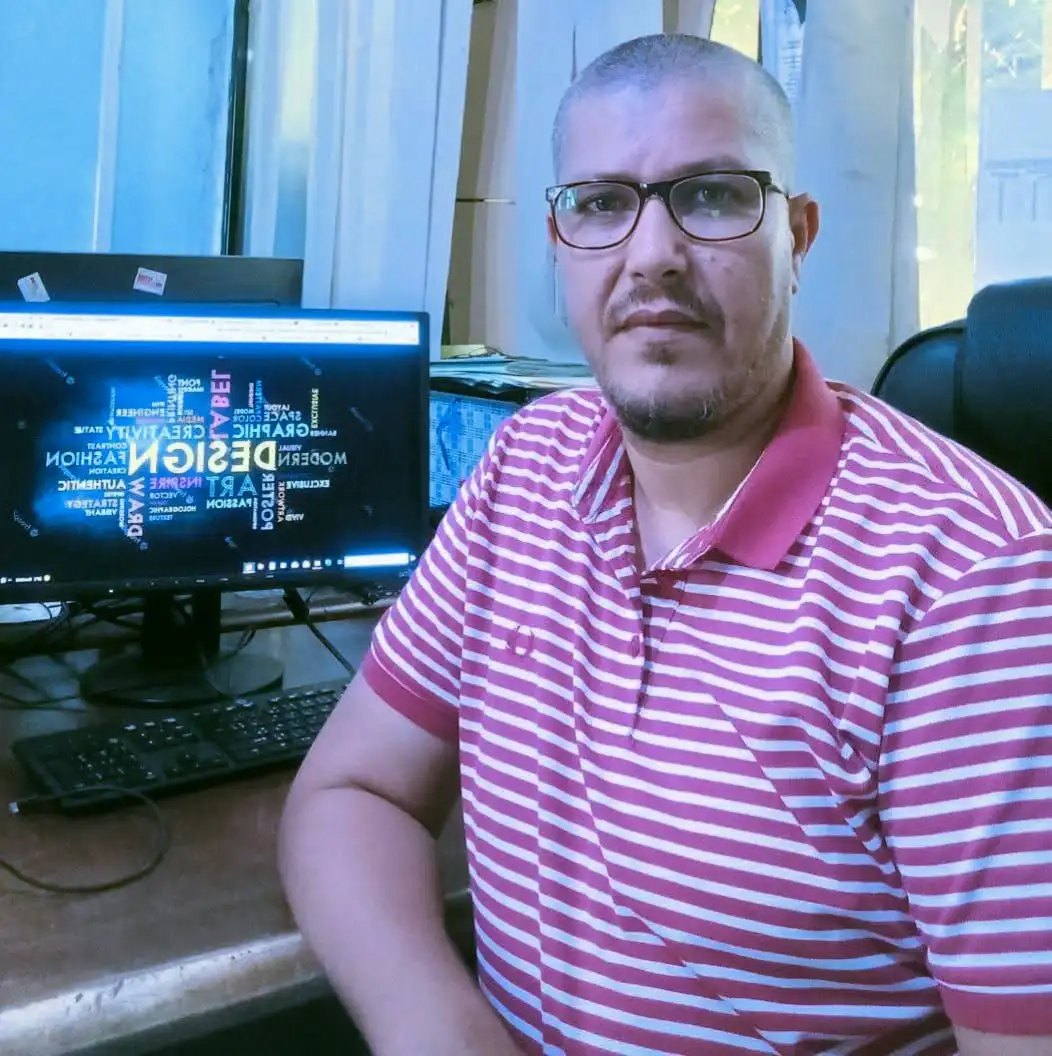
ACHICHE Mohamed
Graphic Designer & Founder / Developer
"I created Screen Medic because I believe screen diagnostics should be free, fast, and accessible to everyone. As a graphic designer and developer, I combined my passion for clean design with my love for building useful tools. What started as a personal frustration has grown into a platform used by thousands of people around the world. My goal is simple: to help every user check the health of their screen in under 60 seconds without downloads, signups, or privacy concerns."
✉️ contact@screenmedic.icu